Posts

Showing posts with the label USB Tools

Boot Hiren's Boot CD from USB - Free Online Tutorial
Image
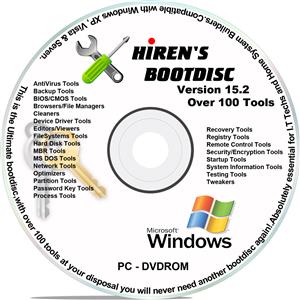
When it comes to having a certain PC streamlined, base lined, or simply reformatted, there are various ways to do so. Many resort to using the traditional clean install, where the primary driver is reformatted, thus leaving the PC clean and new, and the only thing that is very tedious to do afterwards are none other than installing once again the drivers or hardware installed on the computer, which usually take 2 or 3 hours to finish. What more if the computer is having a problem to boot or load the operating system?  What if the BIOS (Basic I/O or Input / Output System) becomes corrupt thus not able to access the operating system like Windows or Mac, and not being able to access the files? Well, there is a solution to this, and it’s another easy to use software: Hiren’s BootCD.  Hiren’s BootCD is a boot disk utility that will help in resolving and making reformatting your computer easy. This kind of compilation software provides a compilation of programs to help ...

How to Setup Windows from Hiren's Boot CD - Free Online Tutorial

Image
In this Tutorial, we are going to learn how we can use Hiren's Boot CD to setup windows without using Windows Setup CD/DVD/USB. (You must have windows setup file extacted from CD/DVD or ISO on your local Hard Drive.) Step 1:  Boot to Hiren's Boot CD/DVD/USB and select Mini Windows XP or Mini Windows 7 Note:  Mini Windows 7 will be available on Restored DVD Version of Hiren's Boot CD 15.2. Now it loads your Mini Windows XP or Mini Windows 7. A simple version of Windows XP is made as an option to be used in cases that require a separate or independent OS, like in a scenario that a certain computer has been filled with viruses. That way, another OS is working on the installed Operating System, and the user can use any available program to clean such viruses without having the need to reformat. Step 2:  After loading Mini Windows, open  HBCD Menu  and c lick  Programs ,    Go to  Partition / Boot / M...

How to boot from USB Drive (Setup Windows 7, 8, 8.1 and 10 from USB) - Free Online Tutorial

Image
Booting from USB is the most easy and common way to setup Windows on your PC. It will help you in the case even if your PC doesn't have a working CD/DVD Drive to boot from. We have a lot of ways to boot from an USB Drive. But here we'll see best two methods among them. The first one is a software tool that will help you to do this in an easy way and the second one is using command prompt to do this... 1. Using Rufus Software: Rufus is a single executable file which runs on your system without installation as a portable software. Download the latest version of  Rufus  using the download link provided here. Then run it with  elevated permissions  by right clicking it and selecting  Run as administrator Then select the USB Drive drive listed from the menu on which you want to setup the Bootable Windows Installation. And then click on the CD icon to browse and select the OS ISO Image. After selecting the image, it will automa...