Posts

Showing posts with the label Boot Tools

Boot Hiren's Boot CD from USB - Free Online Tutorial
Image
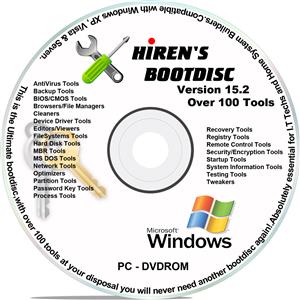
When it comes to having a certain PC streamlined, base lined, or simply reformatted, there are various ways to do so. Many resort to using the traditional clean install, where the primary driver is reformatted, thus leaving the PC clean and new, and the only thing that is very tedious to do afterwards are none other than installing once again the drivers or hardware installed on the computer, which usually take 2 or 3 hours to finish. What more if the computer is having a problem to boot or load the operating system?  What if the BIOS (Basic I/O or Input / Output System) becomes corrupt thus not able to access the operating system like Windows or Mac, and not being able to access the files? Well, there is a solution to this, and it’s another easy to use software: Hiren’s BootCD.  Hiren’s BootCD is a boot disk utility that will help in resolving and making reformatting your computer easy. This kind of compilation software provides a compilation of programs to help ...

How to Setup Windows from Hiren's Boot CD - Free Online Tutorial

Image
In this Tutorial, we are going to learn how we can use Hiren's Boot CD to setup windows without using Windows Setup CD/DVD/USB. (You must have windows setup file extacted from CD/DVD or ISO on your local Hard Drive.) Step 1:  Boot to Hiren's Boot CD/DVD/USB and select Mini Windows XP or Mini Windows 7 Note:  Mini Windows 7 will be available on Restored DVD Version of Hiren's Boot CD 15.2. Now it loads your Mini Windows XP or Mini Windows 7. A simple version of Windows XP is made as an option to be used in cases that require a separate or independent OS, like in a scenario that a certain computer has been filled with viruses. That way, another OS is working on the installed Operating System, and the user can use any available program to clean such viruses without having the need to reformat. Step 2:  After loading Mini Windows, open  HBCD Menu  and c lick  Programs ,    Go to  Partition / Boot / M...

Full OS Backup Using Ghost - Free Online Tutorial

Image
Disk images, in computing, are computer files containing the contents and structure of a disk volume or an entire data storage device, such as a hard disk drive, tape drive, floppy disk, optical disc or USB flash drive. A disk image is usually made by creating a sector-by-sector copy of the source medium, thereby perfectly replicating the structure and contents of a storage device independent of the file system. Depending on the disk image format, a disk image may span one or more computer files. Disk image file formats may be open standards, such as the ISO image format for optical disc images, or proprietary to particular software applications.  As disk images contain the contents of entire disks, they can be huge. Some disk imaging utilities are filesystem-aware and can omit copying unused space from the source media, or compress the disk they represent to reduce storage requirements.  Disk images are used heavily for duplication of optical media including DVDs, Blu...

Password Recovery / Forgot Windows Login Password - Free Online Tutorial

Image
If you have lost / forgot / corrupt your windows login password, here is an easy way to recover it back without the need to format your PC or losing your personnel files.  This method uses a boot CD called Hiren's Boot CD, this CD boots from your PC and runs independently without the need of your OS. So, it can run from the CD itself and it can do all the operations on your system. You can also backup your files by booting into an Operating System called mini Windows XP or Mini Windows 7. From there you can go to My Computer and you can Copy / Move and Delete your files from there. From the Mini Windows XP/7 you can open and run lots of Software tools from the CD which also runs independent from your Operating System. So, here we are going to open a kind of tool which will delete your Windows Login Password. So, open HBCD Menu and open Programs, find the category Passwords / Keys there, then find the category Windows Login from there, there you wi...

How to Resize / Split OS Partition using Hiren's Boot CD - Free Online Tutorial

Image
Most of us have issues with the size of C: Drive after using our system for a long period. In some cases, we us a smaller size C: Drive and after installing many software's and games, we will have very small amount of space left on the C: Drive. In this condition, we may think to increase the size of C: Drive by adding some free space from other partitions. But, unfortunately this option is not available in the operating system. So, we need a third party software to do this. In some other cases, we use only single partition with the full size of the hard disk which we use for both OS and personnel files which we got from the manufacturer like this. Most of them are not considering to split the partition and using it as is. But, if we encounter an issue with the OS and if we need to format the system, we will lose all of the personnel data also while formatting. So, to keep our personnel files and to format the OS alone, we need a third party software. So, we are going to ...

Resize Partition from Windows with MiniTool Partition Wizard - Free Online Tutorial

Image
MiniTool Partition Wizard is a computer program for hard disk drive partitioning originally made by the MiniTool Solution Ltd. The program runs on Microsoft Windows operating systems including Windows 2000 and Windows XP, Windows Vista, 7, 8, or 10. Advantages This program consists of a list of useful functions on disk partition management. *Partition Resize: Extend or Shrink partition size. *Disk Partition Type Conversion: Disk type conversion between MBR and GPT without data loss, supporting up to 3TB hard disk. *File System Type Conversion: Convert FAT/FAT32 to NTFS without disk command; Convert NTFS to FAT32 without reformatting. *Partition Recovery & MBR Rebuilt: Lost or deleted partition recovery, MBR table rebuilt. *Partition Alignment: Align partition and improve SSD I/O performance. *Disk Partition Management: Create partition, delete partition, wipe partition, copy partition, clone disk etc. Disadvantages The free edition is limited as foll...